Stage plots & input lists

Clear communication, before setup day turns into chaos.

Create, manage, and instantly share professional, standardized stage plots and technical riders — built entirely on your phone, so everyone's already on the same page by load-in.

Free to start · $7.99 one-time for unlimited plots

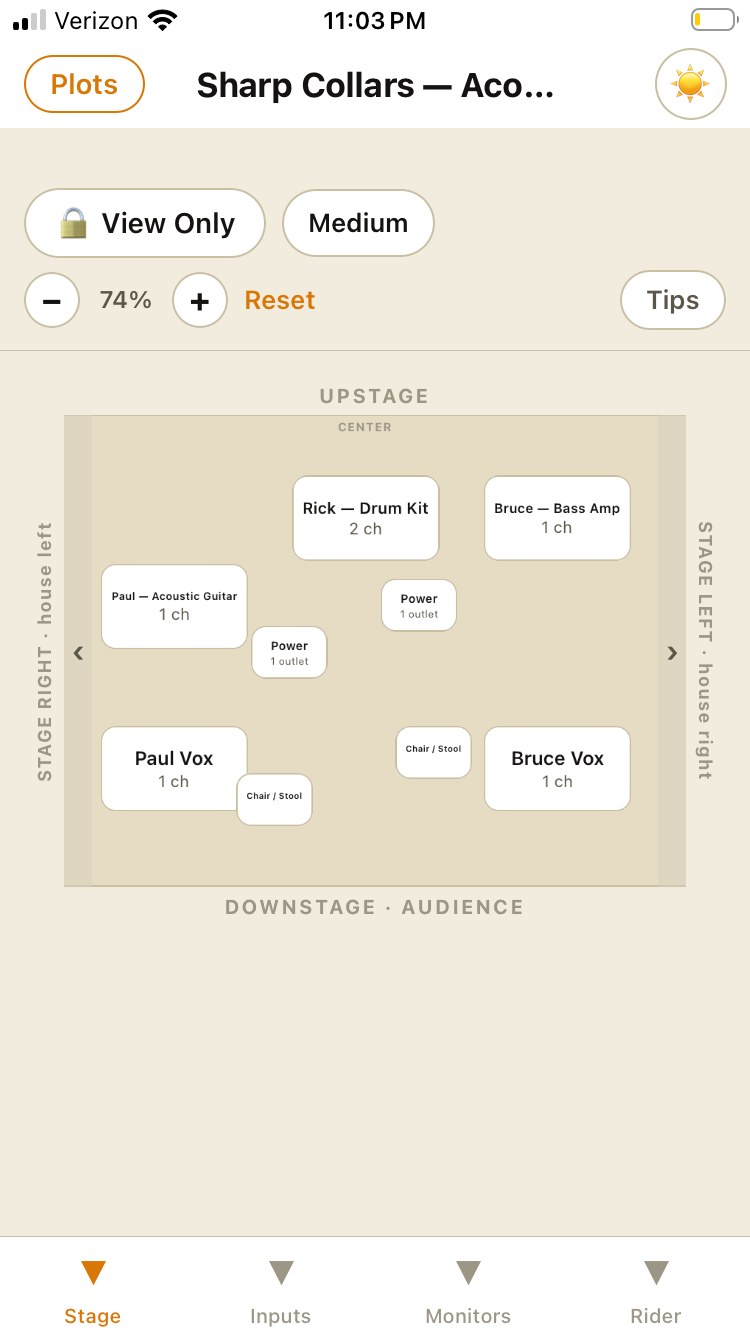
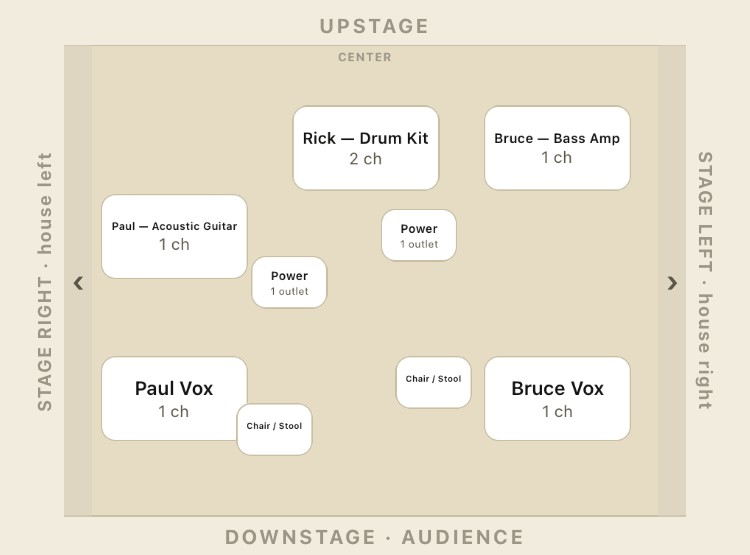
A real GigPlot stage plot showing drum kit, acoustic guitar, bass amp, and vocal mic placement

A real stage plot, built in GigPlot — Sharp Collars, acoustic in-store setup.

”

Built by an audio engineer who's still doing FOH and studio work — not a generic template with instrument icons. GigPlot exists because the good stage plot tools felt like they were built by people who'd never actually run a show.

What it does

Everything a stage plot needs, nothing it doesn't

Four screens, one plot: the stage itself, the input list, monitor mixes, and the rider — all tied together, all exportable in one PDF.

01 — Stage

Drag gear into place

Place amps, risers, mic stands, and performers on a real stage canvas sized to the room. Rotate, resize, tag by lineup.

02 — Inputs

Channel numbers that stay in sync

Every input is numbered by its position on the stage — move something, and the input list updates itself. No manual renumbering.

03 — Performer Library

Save a rig once, reuse it forever

A performer's gear, mic preference, and monitor mix live in one place. Load their whole setup onto any plot in a tap.

04 — Rider

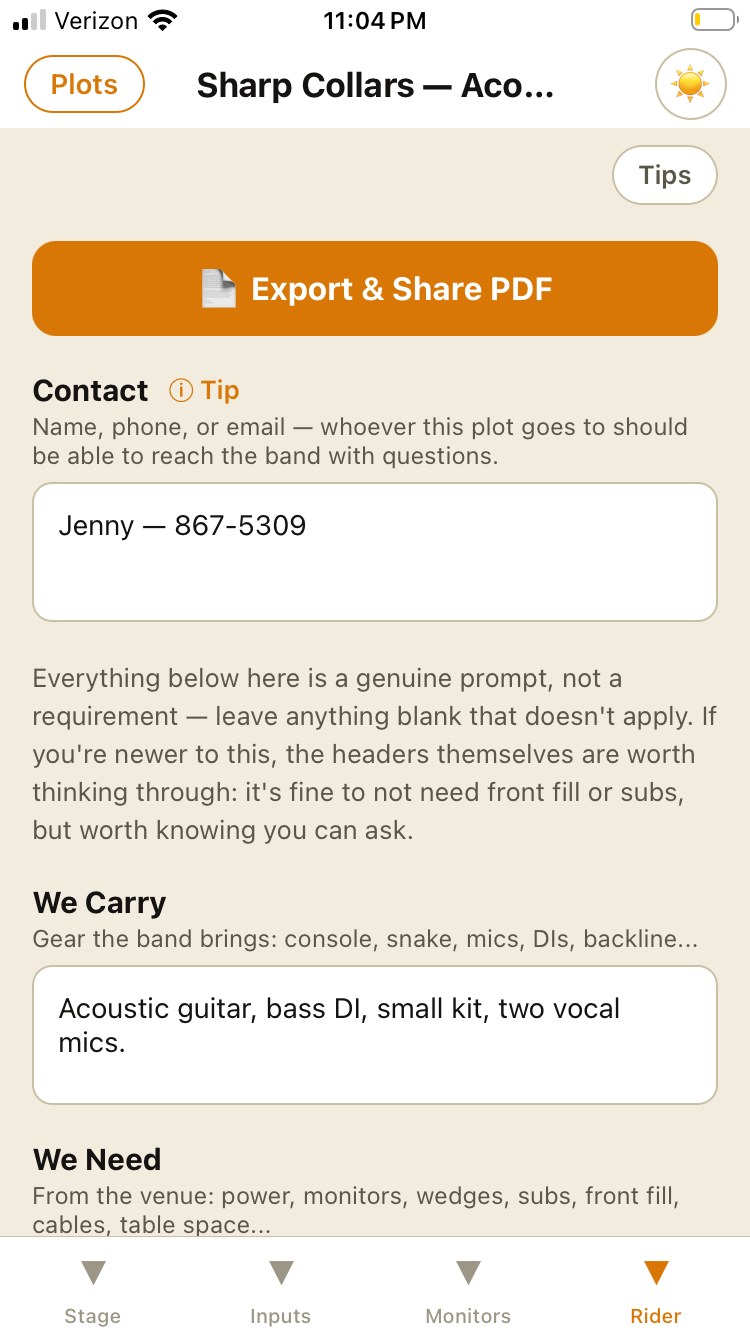
Contact, needs, and notes in one place

What you carry, what you need, and who to call — attached to the plot so it travels with the rest of the paperwork.

05 — Export

A PDF built for a work light, not a monitor

Print-safe margins, real typography, a stage diagram that's actually readable — not a screenshot of the app crammed onto a page.

06 — Share history

Know when it was actually sent

Every export is logged with a timestamp, so "did I send this yet" has a real answer.
The Performer Library

One band, however many ways you actually play

Full band one night, a stripped-down acoustic set the next — same people, completely different rigs. Build each performer's gear once, then reuse it.

  • 1Add each performer once, with every rig variant they actually play — Full Band, Acoustic, whatever your band does.
  • 2Group performers into a lineup — a name that ties a specific set of rigs together for one kind of show.
  • 3Hit Load Lineup on any plot, and every performer tagged to it gets placed at once — gear, channels, and all.
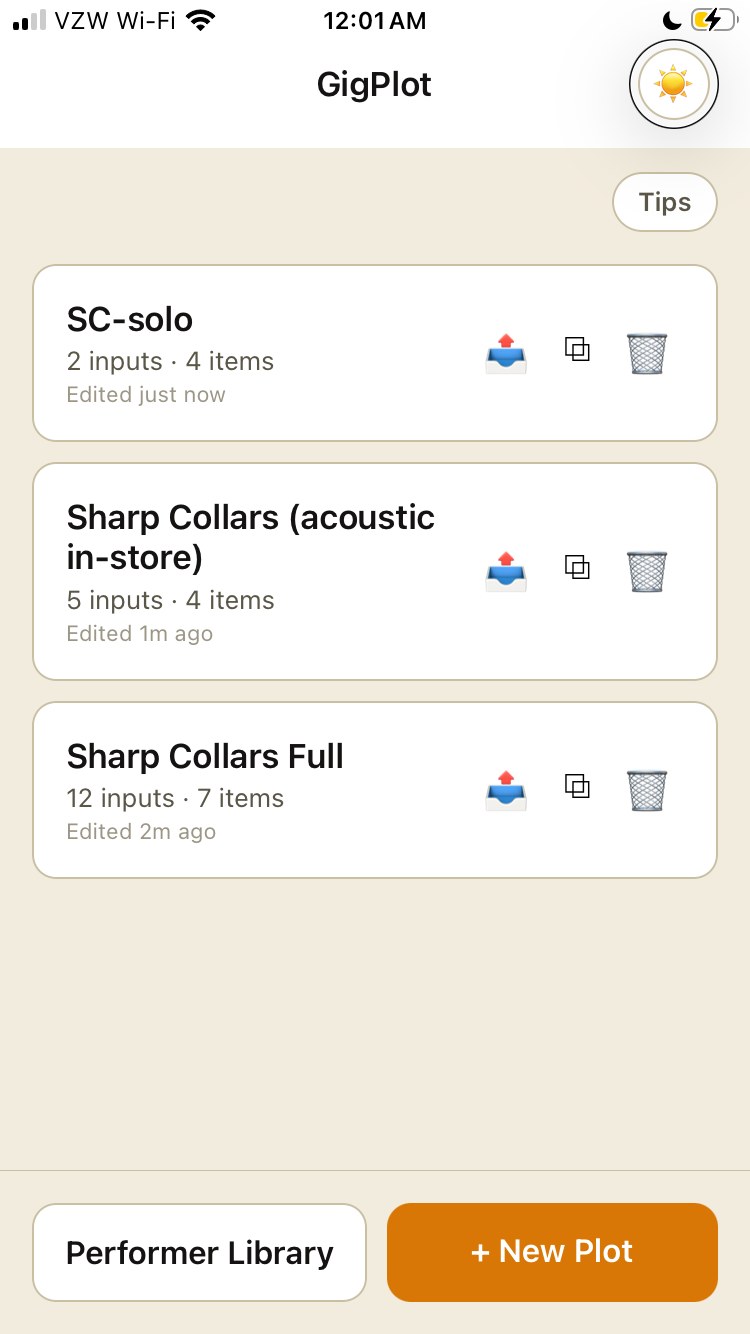
GigPlot plot list showing the same band's Full Band and Acoustic In-Store lineups as separate plots

Pricing

Free is a real stage plot, not a demo

Build and export up to two full plots at no cost. Unlock Pro once, and it's yours — no subscription.

Free

$0

Everything you need to plan one gig, start to finish.

  • ✓ Up to 2 active stage plots
  • ✓ Full stage canvas & input list
  • ✓ Monitor mixes & rider
  • ✓ PDF export, no watermark

Pro — one time

$7.99 once

For bands and engineers juggling more than one show.

  • ✓ Unlimited stage plots
  • ✓ Performer Library — save rigs, reuse them
  • ✓ Everything in Free
  • ✓ No subscription, ever

What FOH actually gets

A one-page document, not a screenshot of the app

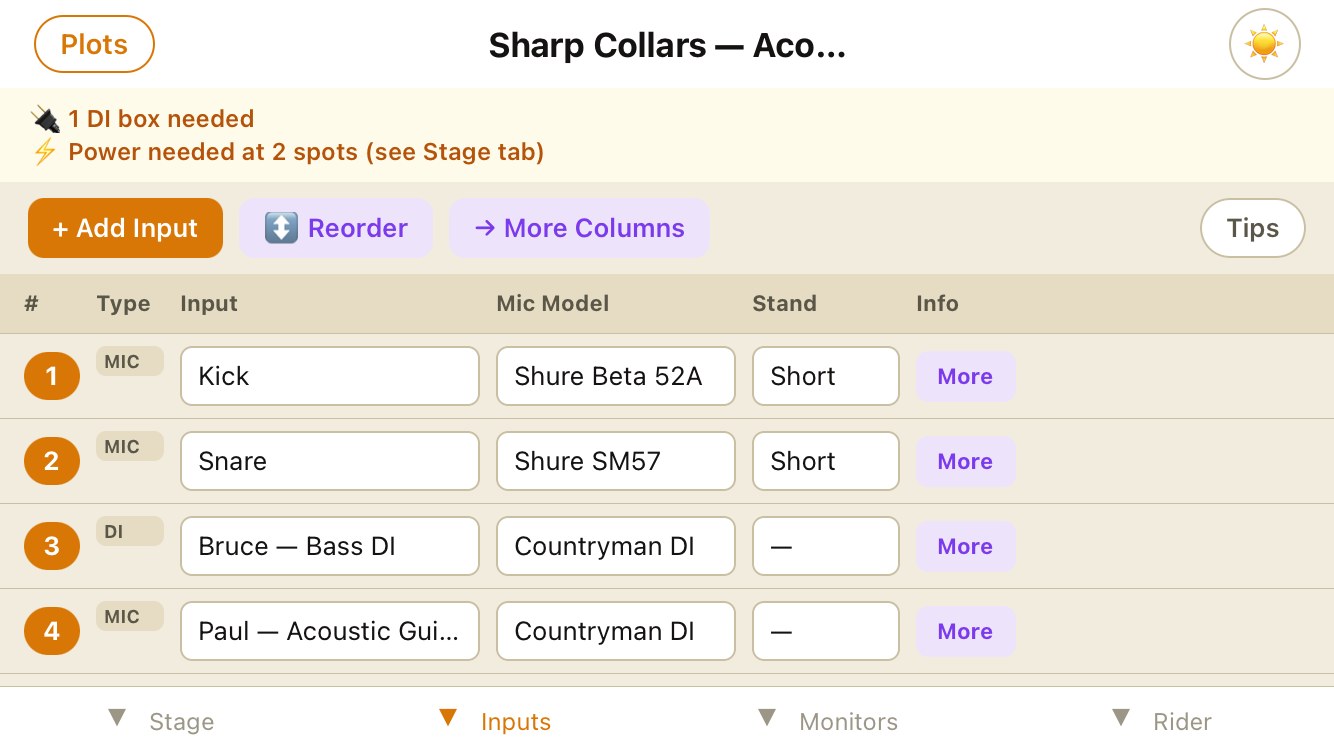
This is the real GigPlot export — every mic, every stand, every channel, laid out the way FOH actually reads it.

GigPlot input list export showing mic models, stands, and channel numbers

Exported straight from GigPlot — no editing, no cropping.

On your phone

Real stage plots, from a real band

Every screen below is Sharp Collars — a fully built-out example band you can explore inside the app from the first launch.

GigPlot stage canvas showing a full band layout

Drag gear into place

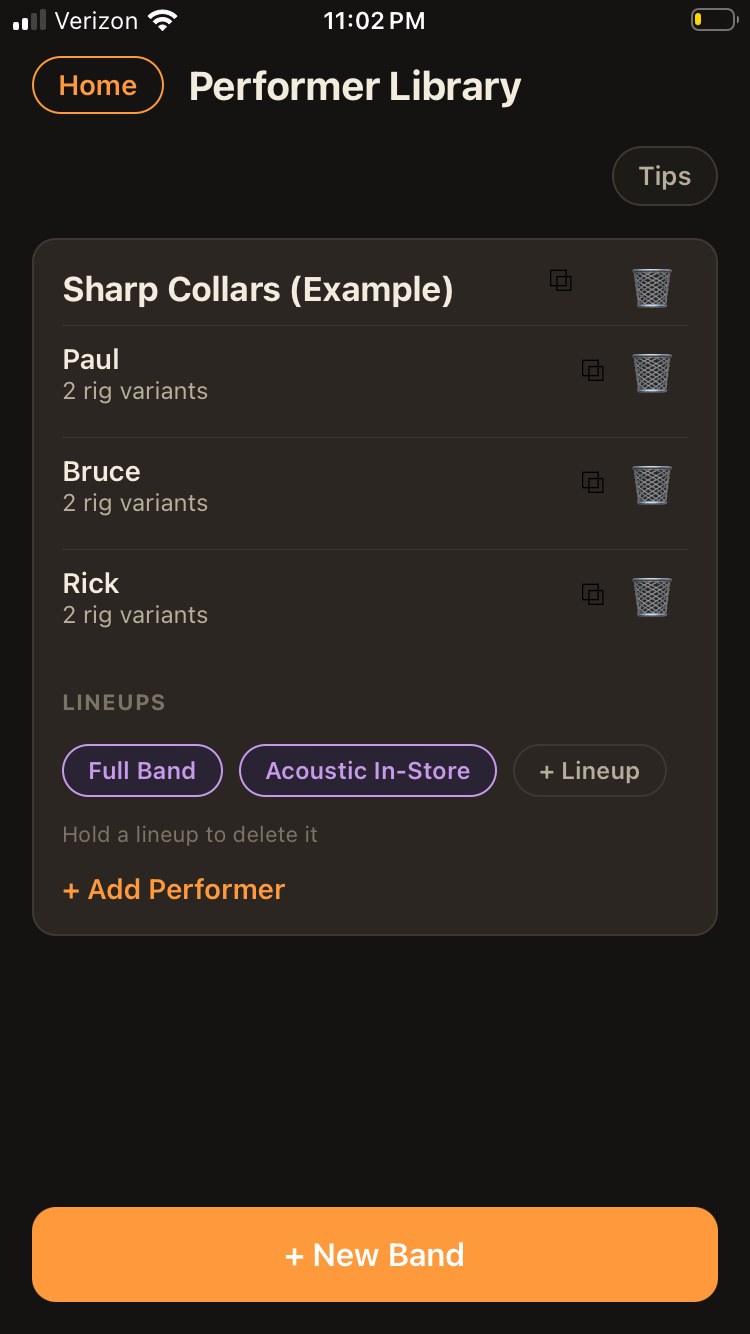
GigPlot Performer Library with saved rigs and lineups

Save rigs, reuse them across lineups

GigPlot rider tab with contact, we-carry, and we-need fields

Everything FOH needs, before they ask

Get started

Have a real plot built before load-in

Free to start. Pro unlocks unlimited plots and the Performer Library for $7.99, once.

Download on the App Store